AI SOAP Notes
Voice-to-SOAP transcription. AI-suggested ICD-10 diagnoses. Prescription generator. Doctor reviews and approves before saving — never auto-prescribes.
New in v25
SOAP charting, AI-assisted documentation, smart lab results with auto-flagging, HMO LOA tracking, PhilHealth YAKAP, DOH FHSIS reports, and online booking — in one system that works even offline.
Every module is designed around real Filipino clinic workflows — from PhilHealth claims to senior citizen discounts to HMO LOAs.
Voice-to-SOAP transcription. AI-suggested ICD-10 diagnoses. Prescription generator. Doctor reviews and approves before saving — never auto-prescribes.
Enter results from any lab and the system flags HIGH / LOW / NORMAL automatically — 48 tests with built-in Philippine reference ranges, including pediatric age-based values. Never guesses when a range is unknown.
Public booking link with QR code. Patients book in 30 seconds — no login required.
Cash, GCash QR, Maya, Card. Auto-applies Senior & PWD 20% discount + VAT exemption.
Manage Maxicare, PhilCare, Intellicare LOAs. AR aging report shows what each HMO owes you.
FPE form, eClaim PDF, member empanelment. eKon-replacement ready before July 2026.
M1 Morbidity, Konsulta provider, NCD quarterly. One-click Excel export, ready to submit.
Auto-send 24hrs before appointments. Reduces no-shows by ~40%.
RA 10173 compliant. Audit-logged. Daily encrypted backups on Philippine servers.
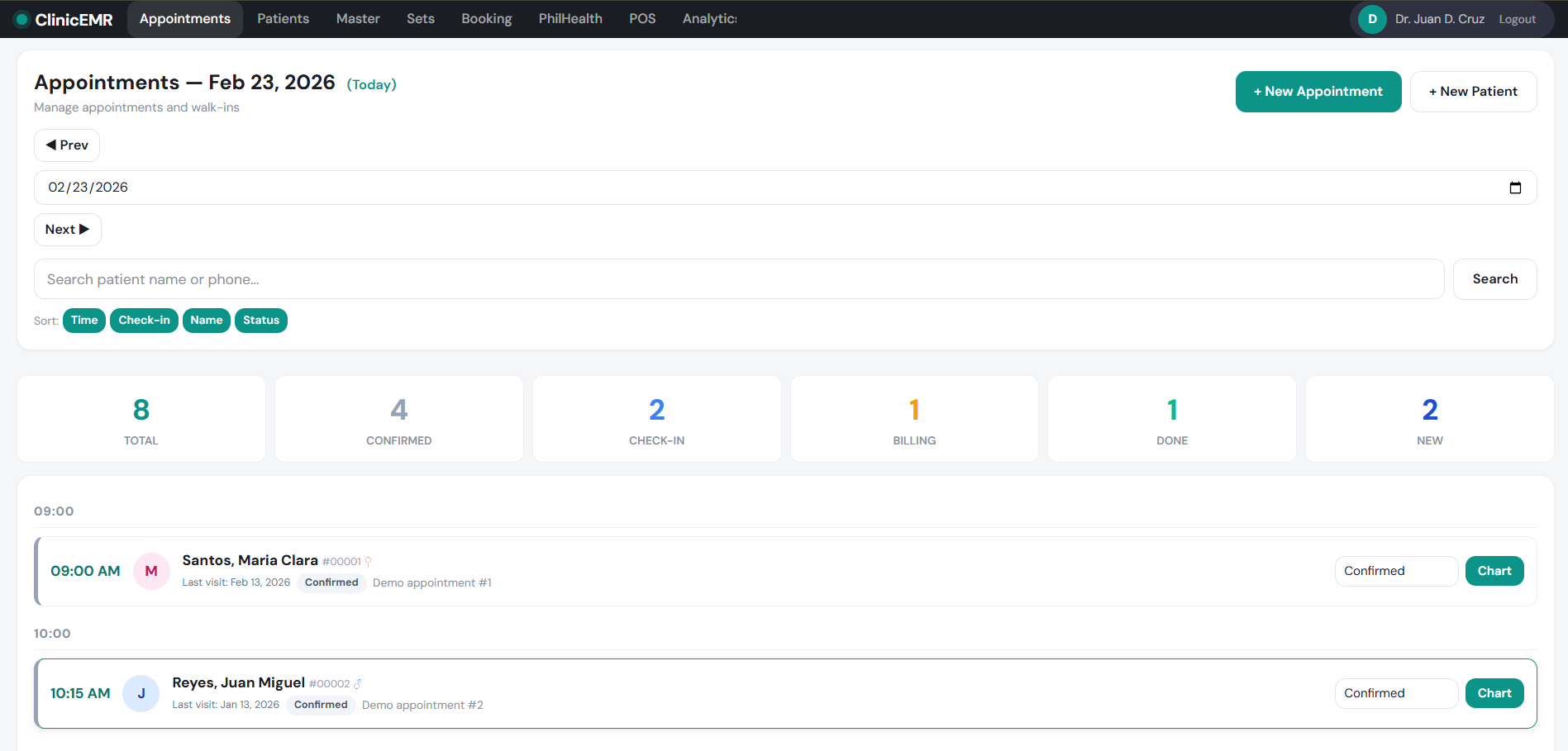
No mockups. These are actual screenshots from production.
See every patient at a glance — scheduled, checked-in, in-progress, done.
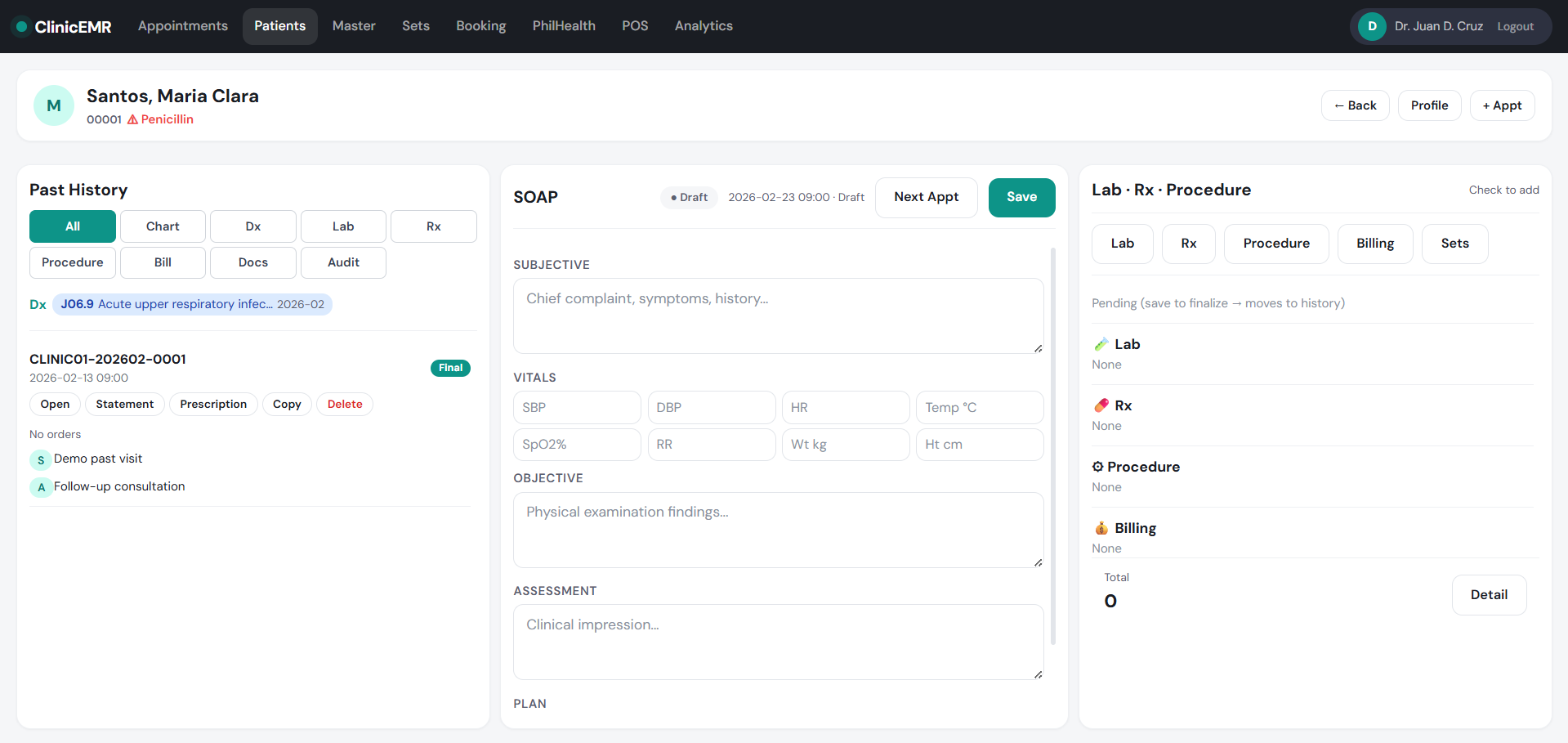
SOAP, vitals, prescriptions, lab orders — all on one screen.
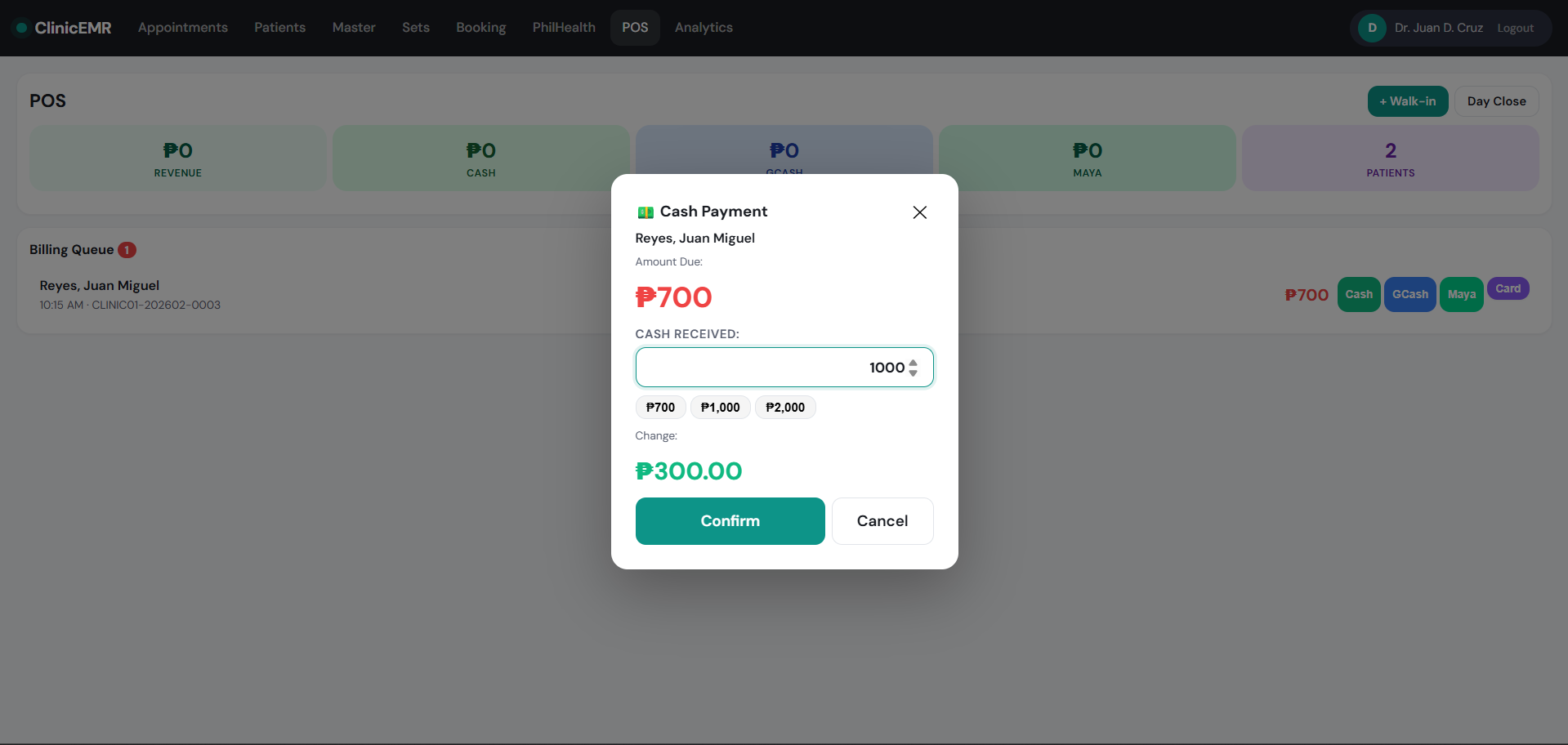
Multi-payment with senior/PWD discount, BIR-compliant receipts.
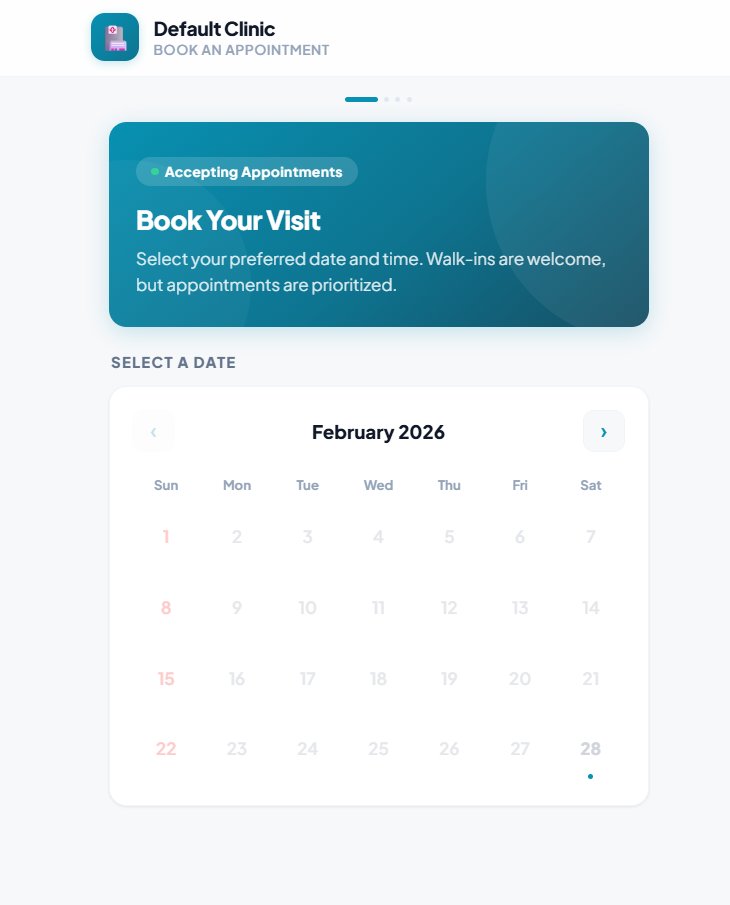
Patients book through your unique URL. Auto-creates appointments.
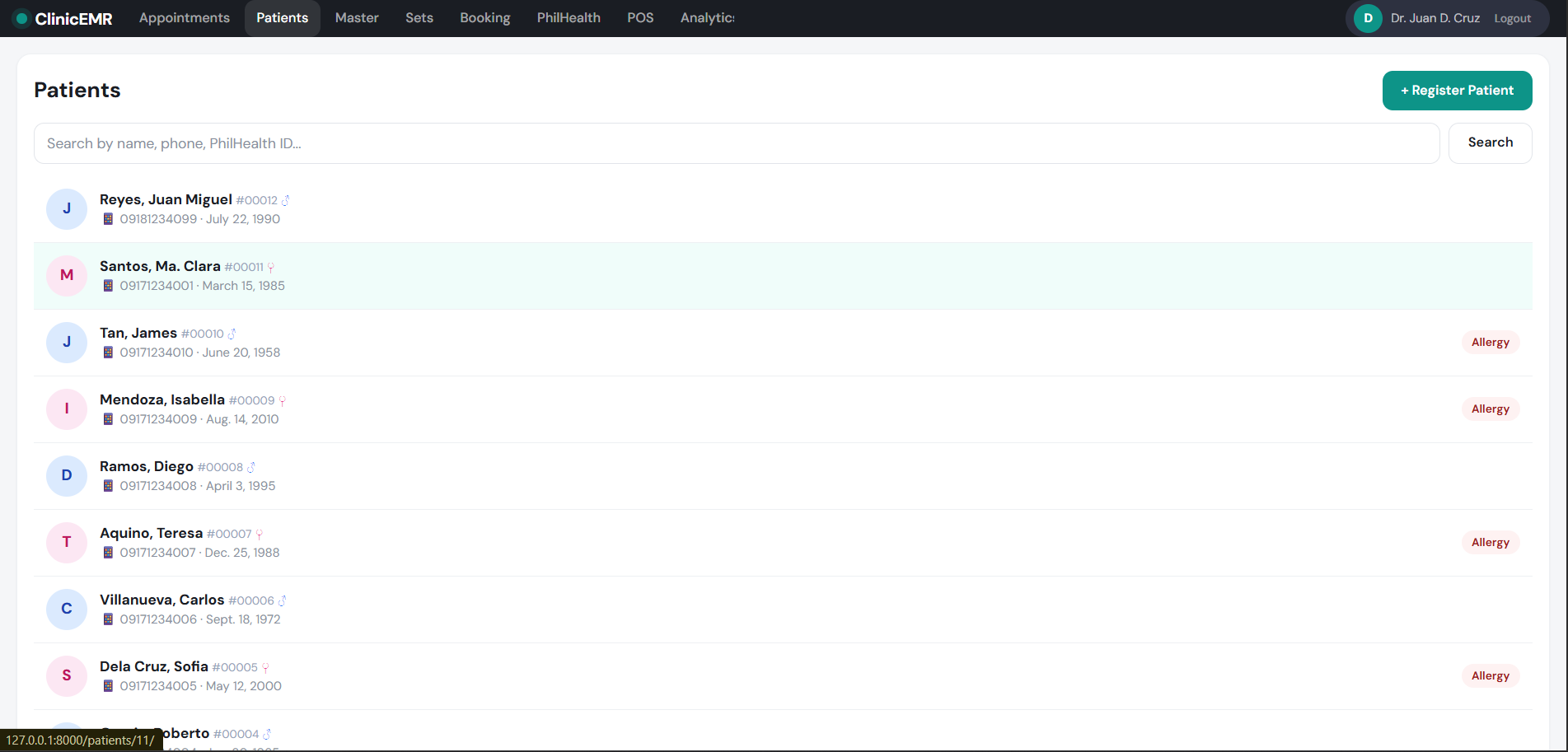
Demographics, history, encounters — searchable and exportable.
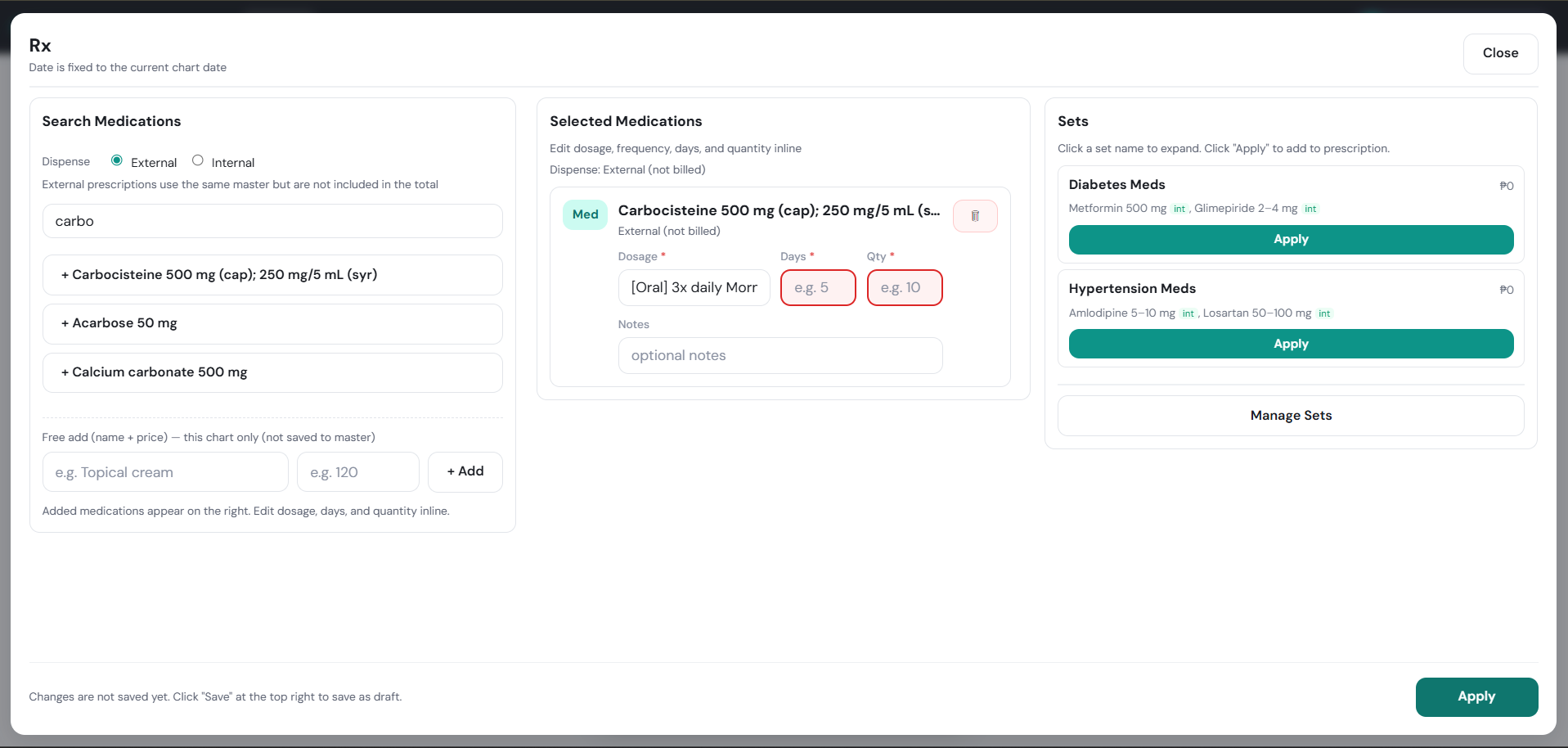
Doctors review SOAP and approve prescriptions on phone.
A simple side-by-side. No marketing fluff — just what's included.
| Capability |
ClinicEMR
₱1,500/mo
|
Typical PH EMR
₱3–8k/mo
|
Paper
No software
|
|---|---|---|---|
| SOAP charting + ICD-10 | ✓ | ✓ | ✗ |
| AI SOAP from voice | ✓ Built-in | Add-on | ✗ |
| Online booking with QR | ✓ Free | Extra fee | ✗ |
| PhilHealth eClaim PDF | ✓ | ✓ | Manual |
| HMO LOA + AR aging | ✓ Built-in | Rare | Manual |
| Senior/PWD auto-discount | ✓ RA-compliant | Manual | Manual |
| DOH FHSIS reports | ✓ Excel export | Limited | Manual |
| Works offline | ✓ | No | N/A |
| Email + SMS reminders | ✓ Built-in | Extra fee | Manual |
| Free trial | 30 days | 7 days | N/A |
Built in the Philippines, for Philippine healthcare — from human clinics to veterinary care to medical staffing.
Complete EMR for clinics — records, PhilHealth, POS, online booking, patient results portal, and reminders. ₱1,500/month per doctor, 30-day free trial.
Visit ClinicEMR →Veterinary EMR for animal clinics — pet records, vaccination & deworming reminders to owners, printable vaccination cards, online booking, and POS. Free to use.
Visit VetCore PH →Healthcare staffing platform — clinics post openings, medical professionals apply. Doctors, nurses, med techs, and more.
Visit MedHire PH →A professional online home for your clinic — with online booking built in, so patients can find you and book appointments 24/7.
Home, About, Services, Doctors, Contact — designed for your clinic, mobile-friendly, and fast.
Patients book appointments straight from your site — synced with your ClinicEMR booking calendar.
Post health tips, clinic announcements, and updates to build trust and keep patients coming back.
Domain, hosting, design, and updates — all managed by us. You just send your content; we do the rest.
No tiered tricks. No paid add-ons. No setup fee.
About 10 minutes. Sign up, enter clinic details, add services and prices, and you're ready. We provide free onboarding during your trial.
Yes. RA 10173 (Data Privacy Act) compliant. Encrypted at rest and in transit, audit-logged, daily backups, on Philippine servers. You own your data.
Works offline thanks to PWA. Chart, collect payments, book — all syncs automatically when back online.
Yes. No contracts, no termination fees. After cancellation you have 60 days to export all data.
Yes — fully responsive. Doctors review SOAP and approve prescriptions on phone.
Cash, GCash QR, Maya, Card, PhilHealth, HMO direct — all built-in.
The AI generates suggestions — diagnosis, prescription, SOAP. Doctors must review and approve before saving. AI never auto-prescribes.
30 days free. ₱1,500/month after. No setup fee, no contract.
Want to click around first? We keep a live demo clinic running so you can try ClinicEMR with real workflows — patients, appointments, billing — before deciding. Message us and we'll send you access in minutes.
Request demo access